
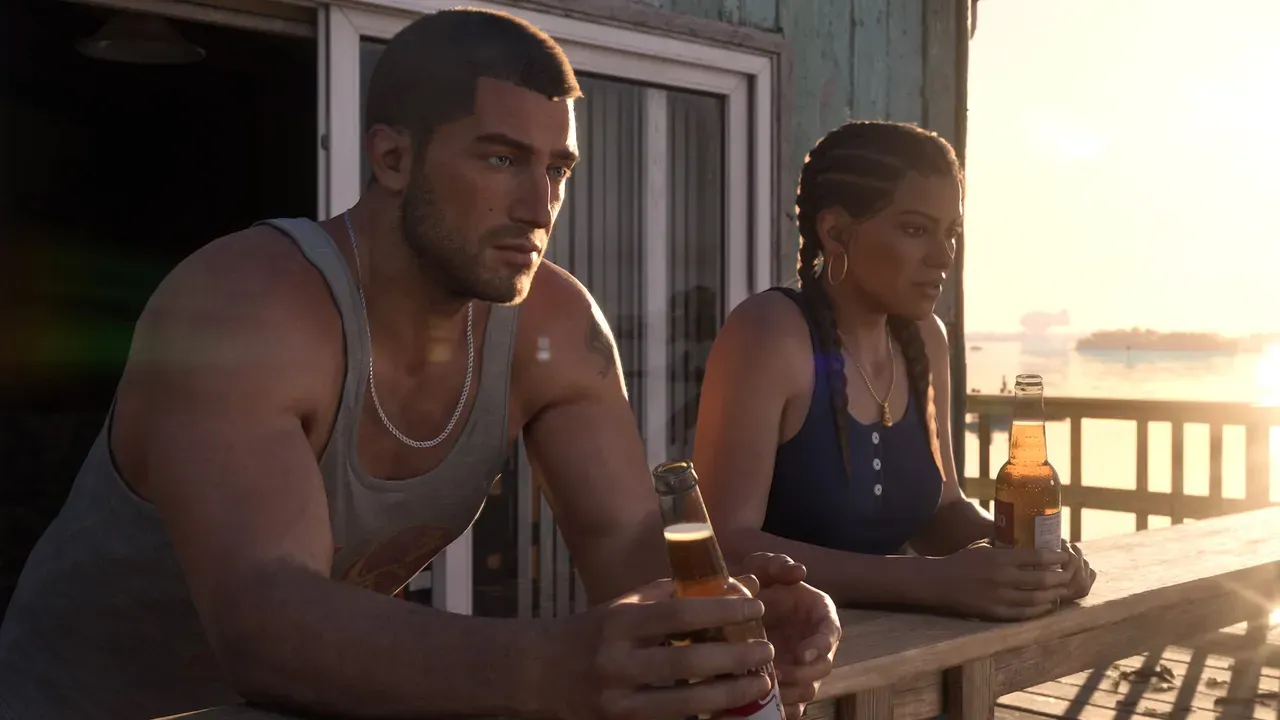
To save in GTA 6, open the pause menu during free roam, select the Game tab, choose Save Game, and pick one of 15 manual slots. You cannot save during the Prologue, active missions, or cheat sessions, and autosave skips routine exploration. Because GTA 6 has no mission replay menu, rotating manual saves is essential.
ContentsToggle
How to manually save and load in GTA 6
If you played Grand Theft Auto V, your muscle memory will betray you right away. Rockstar Games removed both the smartphone Quick Save app and safehouse bed saving, moving every manual save into the pause menu.
Each of the 15 manual slots shows the mission name, completion percentage, date, timestamp, screenshot, and a short story summary. You can create a manual save anywhere in free roam once you clear the opening Prologue.

- Finish any active mission so you are back in free roam.
- Press Options on PlayStation 5 or Menu on Xbox Series X|S to open the pause menu.
- Move to the Game tab, located between Map and Store.
- Select Save Game to open your 15 manual slots.
- Highlight an empty slot or an old file you no longer need, then press Cross on PS5 or A on Xbox.
- Confirm the “Overwrite saved game?” prompt if replacing an older file, and wait until the saving indicator vanishes completely before exiting or shutting down your console.
Loading a previous save follows the same path under Game and Load Game, where your single autosave sits alongside all 15 manual entries. Always save your current progress to an open manual slot before loading an older file, because loading a past save overwrites your single autosave slot.
How to fix greyed-out saves and avoid lost progress
When Save Game will not open or disappears from the Game tab, four specific rules explain why.
- Prologue lock: Manual saving stays disabled through the intro until you finish Brian’s first job and arrive at Jason’s house at the marina. If the game crashes before that milestone, you have to replay the opening sequence from the beginning.
- Active story missions: While you are on a mission, Save Game turns grey or gets replaced by Retry Checkpoint and Restart Mission. Checkpoints only work during that active session, so quitting mid-mission sends you back to your last full save before the mission started.
- Cheat codes: Entering any cheat disables both manual saving and trophies or achievements for the rest of that session. As GamesRadar+ notes, you have to quit and reload a clean save file to restore normal saving.
- Post-objective free-roam hang: If saving stays blocked right after a phone call or open-world event wraps up, step out of your vehicle or exit the building you are standing in to clear the restriction.
Shutting off your console too quickly carries an even bigger risk. During launch week in November 2026, an IGN report documented a streamer losing 11 hours of GTA 6 progress after powering down his console while an end-of-mission save was still writing, corrupting the file.
How GTA 6 autosave works and where it falls short
GTA 6 keeps one dedicated autosave slot separate from your 15 manual files, giving you 16 entries in total. That system catches big story milestones, yet relying on it alone can wipe out hours of open-world play if your console crashes or restarts.
As of November 2026, Rockstar Games has not published an official autosave trigger schedule, and launch testing shows mixed behavior outside story jobs. Push Square and BGR report that autosave fires mainly after main story missions and larger side missions while skipping new map discoveries, shop visits, and smaller side activities, whereas GamesRadar+ and Mobalytics note it can also trigger after getting wasted or busted, major open-world encounters, or big purchases.
Because non-mission triggers are inconsistent across reports, treat autosave as a safety net for finished story missions rather than a full backup. Drop a quick manual save before closing the game whenever you spend time exploring.
Plan your 15 save slots without mission replay
Unlike Grand Theft Auto IV: The Ballad of Gay Tony and GTA V, GTA 6 ships without a way to replay finished missions. As IGN’s mission replay report confirmed under the headline “GTA 6 Doesn’t Let You Replay Story Missions,” the game drops both the replay menu and Rockstar’s bronze, silver, and gold medal grading because story choices branch into open-world events.
Even beating the campaign does not open a replay screen. GamesRadar+ editor-in-chief Josh West logged more than 100 hours across over 90 main story missions and confirmed the completed missions list only displays static thumbnails, leaving manual saves as the sole way to replay favorites or test alternate outcomes.
That matters even more because GTA 6 spans five chapters centered on different safehouses, includes multiple endings, and tracks branching choices through its Criminal Profile system. Major side missions stay available across chapters, while earlier safehouse states, conversations, and temporary opportunities disappear once you advance.
Two simple slot layouts keep your playthrough covered across all 15 manual slots:
- Percentage spacing: Save to a fresh manual slot roughly every 7% of story completion, leaving evenly spaced checkpoints across the entire campaign.
- Chapter splitting: Reserve five slots for the start of each story chapter, five slots for major branching choices or chapter endings, and five rotating slots for everyday free-roam play.
Back up your GTA 6 saves on PS5 and Xbox
If a local save file corrupts, your recovery options depend on which console you own. As of GTA 6’s November 19, 2026 console launch, PlayStation 5 and Xbox handle cloud backups differently.
| Feature | PlayStation 5 | Xbox Series X|S and Xbox Cloud Gaming |
|---|---|---|
| Pause menu button | Options | Menu |
| Cloud save cost | Requires PlayStation Plus | Free with Xbox network connection |
| Cloud storage cap | Up to 100 GB of PS5 saved data | Automatic cloud sync while online |
| USB save backup | Not supported for PS5 game saves | Handled through automatic cloud sync |
On PS5, PlayStation Support confirms you need an active PlayStation Plus subscription to back up saves to the cloud, and Sony blocks copying PS5 game saves to a USB drive. Turn on automatic backups by opening Settings, Saved Data and Game/App Settings, Saved Data (PS5), Sync Saved Data, and Auto-Sync Saved Data.
On Xbox Series X|S, Xbox Support confirms your saves sync automatically to the cloud whenever your console is online at no extra subscription fee. Players streaming the game on Xbox One via Xbox Cloud Gaming share that cloud sync, though streaming itself requires Game Pass or purchased Cloud Gaming hours.
Frequently asked questions
Does sleeping in a safehouse save your game in GTA 6?
No. Unlike earlier entries in the series, sleeping in a GTA 6 safehouse only advances the in-game clock to morning, noon, evening, or late at night, so you still have to open the pause menu to save.
Can you turn off autosave in GTA 6?
No. GTA 6 has no toggle in the Settings menu to disable autosave, though it writes to its own separate slot and will not touch your 15 manual saves.
Can you back up GTA 6 saves on a PC?
Not as of November 2026. Grand Theft Auto VI launched on PlayStation 5, Xbox Series X|S, and Xbox One via Xbox Cloud Gaming with no PC version at launch, so check Rockstar Games Customer Support for any future PC release or save-system patches.