
Windows 11, macOS and Linux users on paid Claude plans can put Anthropic’s coding assistant to work on routine PC maintenance and home-server setup without writing software. In a hands-on report published on Saturday, November 28, an XDA Developers writer detailed four system-administration jobs handled with Claude Code, replacing separate cleanup utilities and manual forum searches.
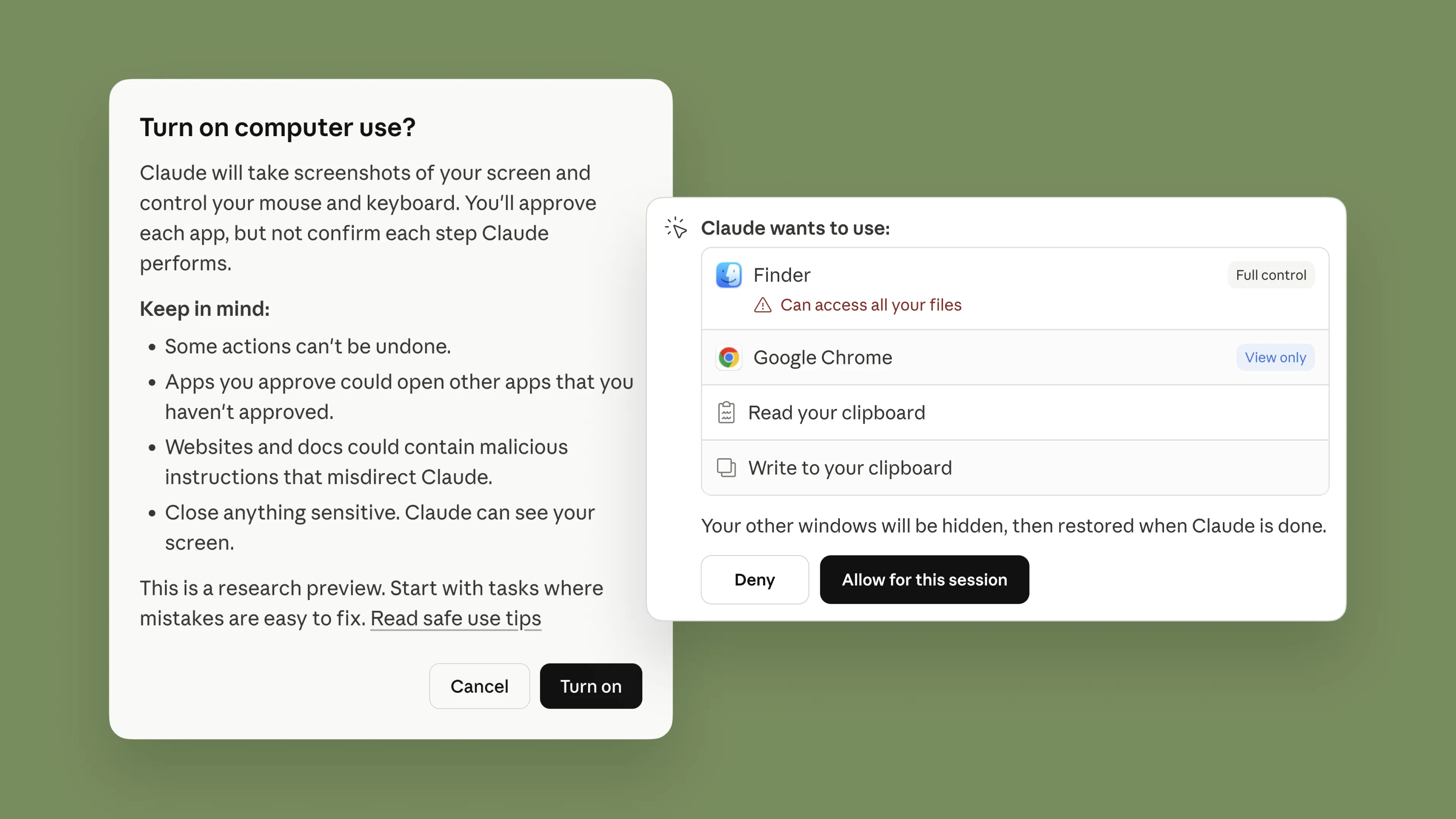
The report arrives eight days after Anthropic expanded Computer Use into beta for Team and Enterprise plans on November 20 alongside Claude Code version 2.1.329, according to Emergent News. Anthropic first opened Computer Use in research preview for Claude Code and Claude Cowork on macOS and Windows for Pro, Max and Ultra subscribers on March 23, 2026.
Four non-coding jobs from the XDA Developers report
1. Auditing and clearing Windows 11 drive clutter
After installing Bazzite, a Fedora Atomic Linux operating system built for gaming, alongside Windows 11 on a Lenovo Legion 5 Pro with a 768GB SSD, the XDA Developers writer exported the drive layout as a CSV file using WizTree. WizTree scans drives by reading the Windows file table directly and exports the full directory breakdown to CSV. The writer said, “After a thorough review, it produced a list of everything that was safe to remove, and uncovered about 30GB of junk comprising old installers, caches, and unused apps.”
Deleting those files took one follow-up command inside Claude Code. The writer said the method permanently replaced third-party Windows debloaters from GitHub.
2. Decoding Windows Event Viewer and Linux crash logs
Troubleshooting operating-system errors normally means sifting through cryptic log entries one by one. The XDA Developers writer wrote, “Opening Event Viewer is the Windows equivalent of going to the hospital. You don’t do it unless you absolutely need to, and you don’t do it until you have a problem.”
Instead, the writer handed Claude Code Event Viewer exports or let it pull the previous month of errors and warnings through PowerShell. When a desktop started throttling at random, a single HWiNFO hardware log led Claude Code to pinpoint undervolting as the fix, and on Linux it resolved a Bazzite loop where switching to the GNOME desktop dropped the machine back into Steam Gaming Mode.
3. Sizing local AI model launches with CLAUDE.md
Running quantized open-weight models locally requires matching each model’s memory footprint to a computer’s graphics card and system RAM. Because the writer stored the PC’s hardware specs (16GB of GDDR6X video memory and 32GB of RAM) in a CLAUDE.md file, Claude Code loads that context at the start of every session, according to Anthropic’s Claude Code documentation.
Naming a model such as Nemotron, Gemma, Ministral, Arete or Qwen3.6-35B-A3B (Alibaba Cloud’s open-weight multimodal model with 35 billion total parameters and 3 billion active parameters) returns a launch command already sized for GPU layer offloading and the key-value cache. The writer said Claude Code also locates matching GGUF model files and vision mmproj files without trial-and-error relaunches.
4. Setting up a self-hosted home server with Docker
Over the past year, the writer repurposed a four-year-old laptop into a home server running Docker Desktop, Jellyfin, Immich, AdGuard Home and Sunshine paired with Moonlight. Claude Code wrote the Docker Compose files, mapped network ports, linked storage folders and configured firewall rules.
The writer also used Computer Use to let Claude Code click directly through Docker Desktop while managing media files. According to the writer, that workflow turned self-hosting networking hurdles into an exercise in careful prompting.
How other outlets use Claude outside software development
The XDA Developers report appeared the same day Tom’s Guide published a separate roundup of everyday non-coding tasks for Claude Code, following a July 9 hands-on test by ZDNET with Claude Cowork. Together, the three reports show how paid subscribers split between system administration and personal file management.
| Outlet | Published | Tool tested | Non-coding tasks reported |
|---|---|---|---|
| XDA Developers | Nov. 28, 2026 | Claude Code | Cleared 30GB of Windows 11 junk, decoded Event Viewer and Bazzite logs, tuned local AI launches, set up Docker services |
| Tom’s Guide | Nov. 28, 2026 | Claude Code | Sorted Downloads folders, built spending dashboards from bank CSVs, organized family photos by metadata |
| ZDNET | July 9, 2026 | Claude Cowork | Analyzed Home Depot spending, organized PDF files, fixed a stuck server |
Safety caveats and enterprise rollout
In its March 23 announcement introducing desktop clicks, Anthropic stated, “In Claude Cowork and Claude Code, Claude can use your computer to point, click, and complete tasks.” Anthropic also warned in that same notice that “Claude can make mistakes,” advised users to stick to trusted apps away from sensitive data and kept certain apps off-limits by default.
Third-party evaluators have pointed to practical limits for non-developers as well. Competing toolmaker TODO for AI wrote in a September 21 review that Claude Code stays “still developer-shaped,” organized around code repositories, branches and diffs, while automation platform Kavela cautioned on October 12 that giving an agent write access can modify or erase local files unless users keep backups and active permission prompts.
Anthropic is rolling out its November 20 Computer Use beta gradually across Team and Enterprise organizations. The capability stays turned off by default until an organization owner or primary owner enables it.