
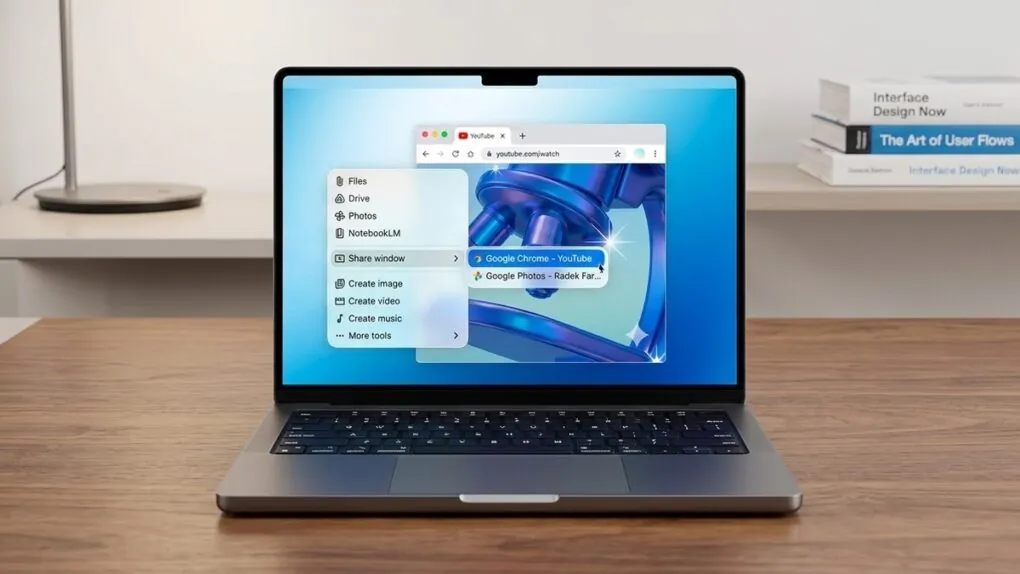
Google rolled out computer use to its Gemini desktop app for macOS on Thursday, letting the AI operate native Mac apps, local files, and websites in the background. Access is live in English in the United States for paying subscribers on Apple silicon Macs, with plans starting at $4.99 per month according to MacRumors.
Computer use lets an AI agent click buttons, type text, and work through multi-step jobs directly on a machine. In Google’s official announcement, Gemini App Group Product Manager Michael Friedman wrote, “You can simply describe what you need, and Gemini will navigate menus, type information, and click through apps to finish your work.”
Instead of taking over your display, Gemini runs inside an isolated background window while showing a live preview inside the chat. Friedman wrote, “It runs in a separate window so you can continue your own tasks without interruption. You remain in control by approving every action and choosing exactly which apps Gemini can access.”
Users can pause, stop, or approve each step before Gemini executes it, leaving their main screen and cursor free for other work. Google pointed to repetitive workflows as the primary use case, including filling out forms, sorting files into folders by specific criteria, and repeating the same task across batches of files.
Other examples from Google include pulling live dashboard metrics and screenshots from multiple regions into a Google Slides presentation, or listing clothing items from a local photo folder onto resale platforms in batches.
Who gets access and what it requires
The initial launch leaves out free accounts, Intel-based Macs, and users outside the United States. Google requires a personal Google account, an eligible paid tier, and Apple silicon hardware running macOS Sequoia or newer.
| Requirement | Launch eligibility |
|---|---|
| Hardware | Apple silicon Mac |
| Operating system | macOS Sequoia 15.0 or later |
| Software | Gemini app for Mac (gemini.google/mac) |
| Account | Personal Google account, age 18 or older |
| Subscription | Google AI Plus, Pro, or Ultra (starting at $4.99/month) |
| Region and language | United States, English only |
Users on Workspace or other non-personal accounts, anyone under 18, and subscribers outside the United States do not have access at launch.
Permissions, safety warnings and new app connectors
Turning on computer use requires granting broad system access on macOS. According to an AppleInsider report, users must enable macOS Accessibility and Screen & System Audio Recording permissions before Gemini can control desktop software.
AppleInsider warned in a commentary that giving Gemini control over Mac apps and local files carries serious security risks despite the convenience. The Next Web reported that Google warns the agent can make mistakes, including deleting or sharing files.
The update also widens how Gemini connects to specific desktop apps. In a 9to5Google report, new Desktop connectors for Blender and Autodesk Fusion appeared under the Customize menu’s Connectors section, joining existing integrations for Git and Obsidian.
How Google’s Mac rollout stacks up
Google originally released its native Gemini app for Mac on April 15, 2026, for macOS 15 and newer. At launch, that app offered screen and window sharing plus an Option + Space keyboard shortcut, rather than direct control over desktop programs.
Earlier this week, Google announced a broader rollout of Gemini’s in-app Tasks agent for signing into websites, making online purchases, and booking appointments, TechCrunch reported. Google also recently began admitting early testers to its revamped CC agent, announced in September 2026 to help families organize email, calendars, chats, and tasks.
Even with Thursday’s release, TechCrunch noted that Google arrives behind OpenAI, Anthropic, and Meta, which already offer agentic tools in their desktop apps. Google has not said when Gemini’s computer use will expand to other markets, languages, or platforms.