
Windows 11 is quietly treating your expensive gaming rig like a corporate office workstation. If you are getting random micro-stutters or jarring frame drops during your matches, your graphics card probably is not the problem. The operating system’s default security architecture is choking your processor.
A virtualization feature running silently in the background eats up CPU cycles just to verify code signatures. But you can fix it. Shutting off this isolated environment takes about 30 seconds. Doing so boosts your “1% low” frame metrics by up to 25%, bringing back the buttery smooth gameplay you paid for.
Key Details
- Microsoft now enables Virtualization-Based Security by default on fresh Windows 11 installations following the 22H2 and 23H2 updates.
- The feature forces memory protection into a separate virtual container, causing CPU scheduling conflicts during intense tasks.
- Disabling the setting stabilizes the CPU and resolves weird anomalies where GPU utilization inexplicably plummets to 20-23%.
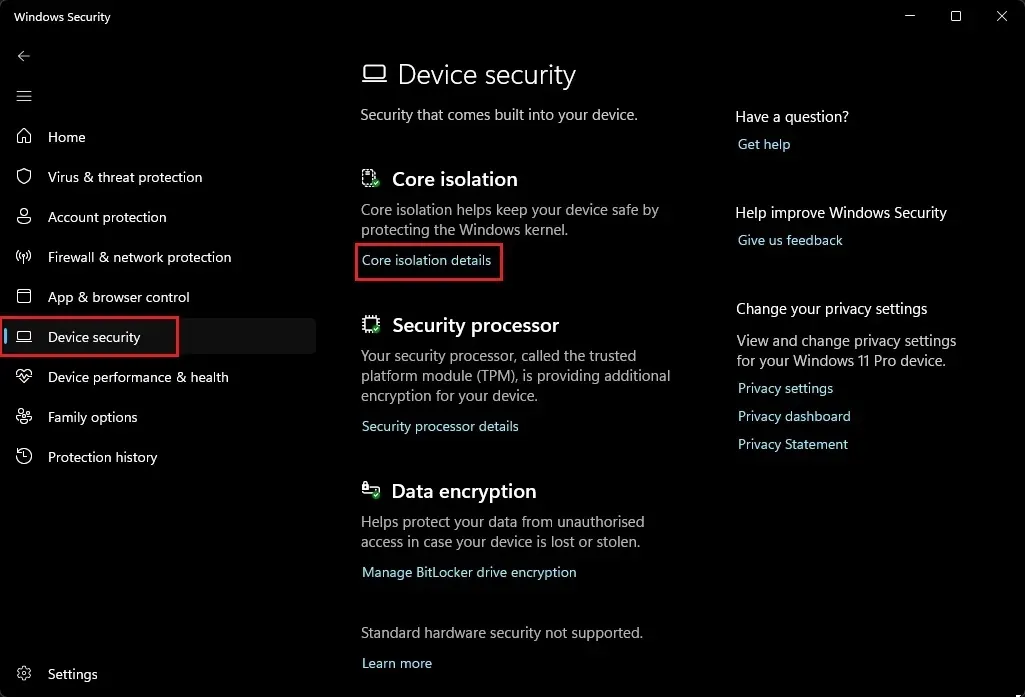
The culprit is a tool called Core Isolation, specifically the Memory Integrity function. This Hypervisor-protected Code Integrity creates a virtual sandbox. It checks kernel-mode drivers to ensure they are safely signed before letting them run. Sure, that stops malware. But it wrecks gaming performance.
The intense scheduling penalty causes sudden frame drops. This specific frustration was outlined in a recent hardware evaluation published Sunday. Shutting off Memory Integrity will not magically add hundreds of frames to your average FPS. Instead, it dramatically lifts the bottom floor. Fixing those 1% lows effectively kills the stuttering that ruins open-world games.
Gaming communities know all about this trap. Turning off Memory Integrity inside the Windows Security app—found under Device Security, then Core isolation details—is basically mandatory now. System builders often pair this tweak with disabling Secure Virtual Machine in their Asus BIOS settings. The result? Total elimination of stuttering in competitive shooters like CS2 and Valorant.
Why Microsoft Forces Enterprise Rules on Gamers
This whole mess comes directly from Microsoft pushing its “Secured-core PC” hardware standards. The company now requires major PC manufacturers to ship new machines with Virtualization-Based Security turned on out of the box.
They want universal system defense. Performance comes second. Interestingly, Microsoft knows exactly what this does to your rig. The company previously released a support document acknowledging the penalty. They confirmed gamers might see degradation and explicitly provided instructions to disable Virtual Machine Platform and Memory Integrity just to play games smoothly.