
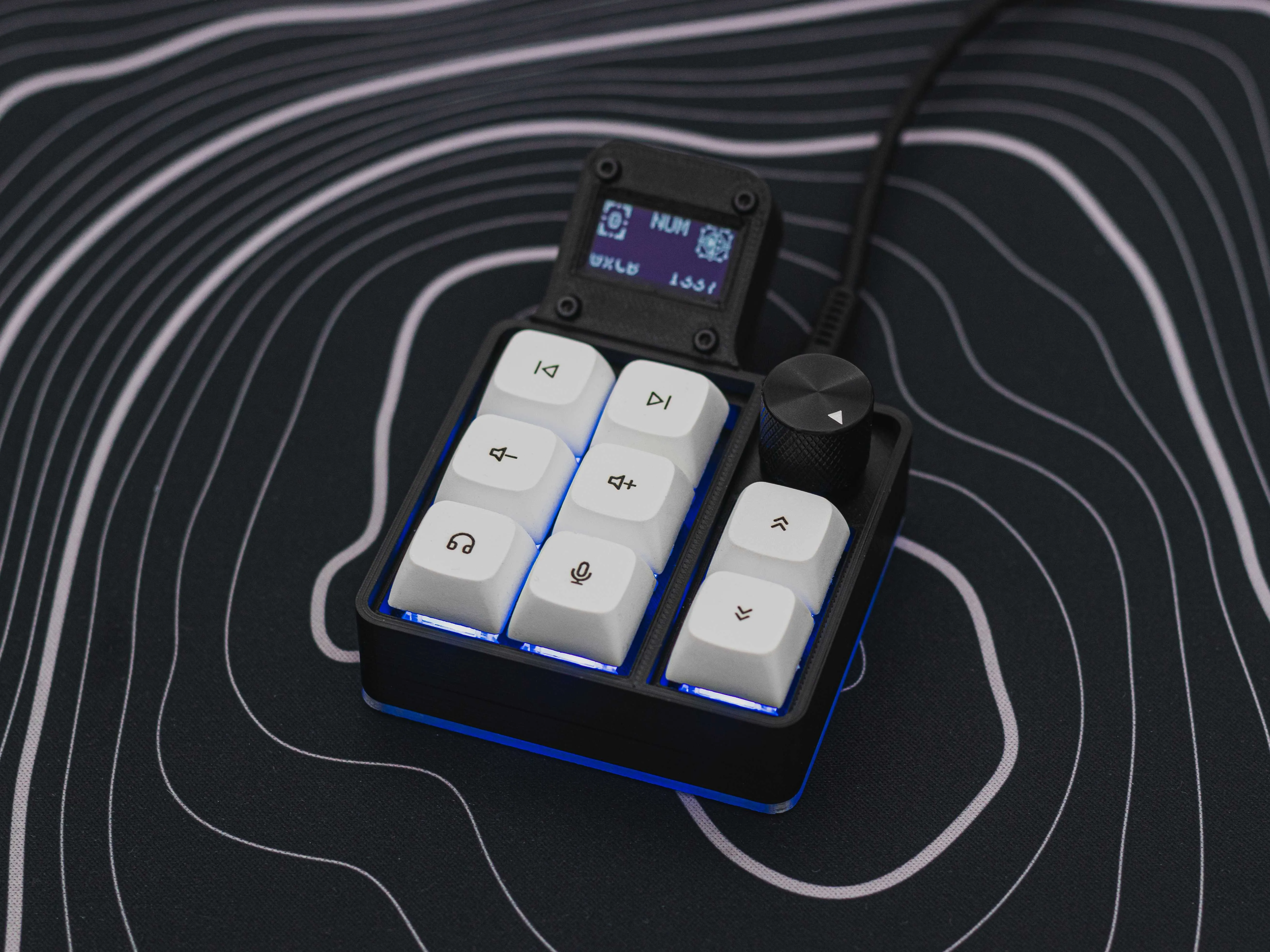
You sit down at your desk. You have forty browser tabs open across three different applications. Navigating this digital clutter usually requires endless mouse clicking and hunting through nested software menus. It slows you down. But physical macro pads change the physics of digital work entirely.
A macro pad is a small, auxiliary programmable keypad designed to sit right next to your standard keyboard. Originally popularized by video game streamers to quickly switch camera angles, they recently took over office desks. Instead of memorizing arcane keyboard shortcuts, a macro pad lets you execute complex, multi-step automated commands with a single physical key press.
The concept sounds incredibly simple. But the hardware mechanics behind it are brilliant.
The Anatomy of a Physical Shortcut
You know the frustration of complex software hotkeys. Hitting `Ctrl + Shift + Alt + E` requires terrifying finger gymnastics. You might miss a key and accidentally trigger the wrong software action. A macro pad removes that physical friction.
Here is exactly how the hardware handles complex workloads:
- Programmable Switch Arrays: Most units use mechanical switches. This provides distinct tactile feedback so you know immediately if you pressed the button. Some premium pads embed tiny digital LCD screens directly inside the keys. These screens instantly swap icons depending on the software you have open, so you never forget what a specific button does.
- Rotary Encoders: These are physical knobs built into the board. They excel at incremental adjustments. Turning a dial to scroll down a long document or adjust system volume feels infinitely more natural than aggressively dragging a mouse across a desk pad.
- Application Profile Switching: The software running the macro pad actively monitors your computer screen. If you click into a web browser, the pad instantly loads your web navigation shortcuts. Click into a code editor, and the keys automatically remap to your preferred debugging tools without you touching a thing.
Erasing the Context-Switching Tax
Every time you stop typing to grab your mouse, find a drop-down menu, and click a setting, your brain pauses. Psychologists and efficiency experts call this a context switch. It breaks your flow state.
Physical keys eliminate that tax entirely. The tactile reliability of a dedicated button keeps your eyes locked on your actual work. You don’t have to look down at your taskbar to find the mute button during a virtual meeting. You just hit the top-right physical key on your pad. The microphone cuts off instantly.
Office workers use this exact methodology to automate highly repetitive data entry. You can bind complex Excel formulas to a single button. Instead of typing out recurring client data into a CRM platform, one keypress pastes the entire block of text perfectly. You skip the typing, you prevent spelling errors, and you get back to the actual work.
Real-World Configurations for IT and Developers
Software developers and system administrators run incredibly repetitive scripts. They build projects, toggle terminal windows, and format code hundreds of times a day. The manual typing adds up fast.
Instead of typing `git add .`, followed by `git commit -m`, and finally `git push`, a programmer can bind all three sequential commands to a single “Commit & Push” key. The pad types and executes the commands faster than humanly possible.
Cybersecurity teams rely heavily on these devices for deploying terminal scripts during testing. For instance, configuring a brand new Virtual Machine usually requires running a long string of update commands. A single keypress on a macro pad can type out `apt update; apt upgrade; apt install` and execute it before you could even open the correct folder.
Dialing in Creative and AI Workflows
Video editors and digital artists absolutely rely on rotary knobs. Adjusting lighting or color sliders in photography software demands complete visual focus on the image itself. Turning a physical dial allows the editor to watch the colors change on screen without ever glancing down at the software sliders.
But office professionals are adopting these creative setups for modern artificial intelligence tools. The rise of AI workspaces created a huge demand for reusable text snippets. Workers now configure their macro pads to instantly open specific chatbot windows.
Another button press immediately pastes a highly specific, pre-formatted prompt template. You just fill in the blank. It turns a clunky, multi-step copy-and-paste routine into a lightning-fast, physical reflex.