
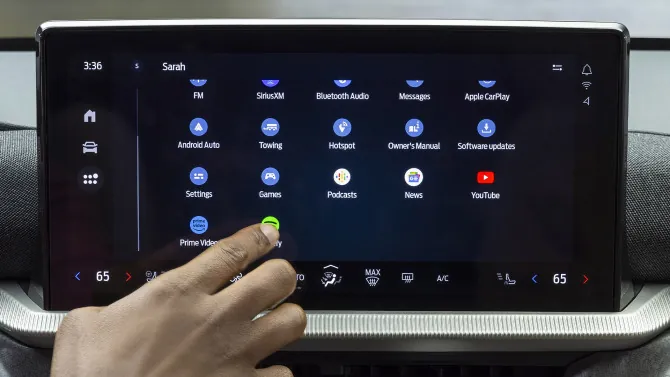
Modern car infotainment systems have evolved into highly complex second smartphones. Instead of just showing the route home, they bombard drivers with messaging alerts, endless app pages, and media notifications. By taking control of the user interface, you can actively fight back against this notification fatigue and make your daily commute significantly safer.
Customizing the Android Auto layout takes only a few minutes from your connected smartphone. Adjusting a handful of hidden settings transforms the display from a cluttered mess into a streamlined, productivity-focused control center.
Trimming the App Launcher
Start by removing everything you do not actively use behind the wheel. Open your phone and navigate to Settings, then Connected devices, followed by Connection preferences. Tap Android Auto and select Customize Launcher. Uncheck the useless bloatware. Keep only the absolute essentials visible, like Google Maps, YouTube Music, and WhatsApp.
Once you trim the app list, reorganize the remaining icons. Drag your highest-priority navigation and audio apps to the very top. You can also add direct launcher shortcuts. Creating a dedicated icon to call a specific family member instantly eliminates the need to scroll through your phonebook while driving.
Optimizing the Display Layout
You can push this customization further by enabling taskbar widgets to handle media controls. This lets you pause or skip tracks directly from the lower bar without opening the full audio app. Additionally, adjust the interface orientation so the primary navigation panel sits on the side closest to the driver’s seat. Reducing your physical reach cuts down on visual distraction.
Set up a dedicated driving mode that triggers automatically upon Bluetooth connection. This ensures non-essential notifications are muted before you even shift the car into gear.
Why the Android Auto Layout Matters Right Now
Android Auto launched in 2015 as a basic phone mirroring tool to counter Apple CarPlay. Now, the battleground has shifted. Both tech giants are fighting for native control over the entire vehicle head unit.
Google is actively overhauling the system to integrate its artificial intelligence directly into the driving experience. Recent updates introduced Gemini AI and smart text message summaries, allowing drivers to manage complex group chats without reading long paragraphs on the screen.
As competitors push for deeper native software integration into new cars, Google is relying on these customizable, AI-driven features to keep drivers inside its ecosystem. A clean dashboard today prepares your vehicle for the more advanced, voice-controlled automated features arriving in the coming months.