
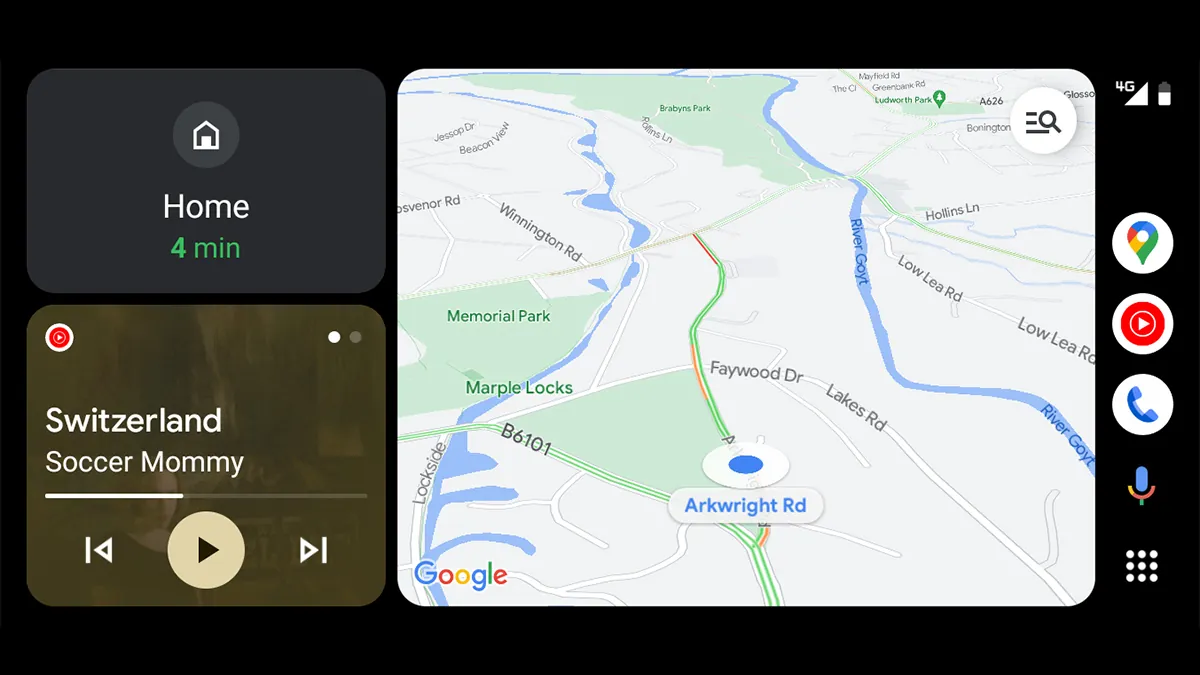
Starting the engine shouldn’t trigger an immediate battle with your dashboard. But the factory configuration of Android Auto often creates unnecessary friction before the vehicle even leaves the driveway. Out-of-the-box software prioritizes general features over your driving habits.
After spending over a year fighting with menus daily, a distinct pattern emerges. Tweaking just a handful of options completely transforms the commute.
- Kill the automatic playback: The system desperately wants to resume your playlist the second your phone connects. Turning this off lets you start drives in silence. You can finish a conversation or back out of a driveway without loud audio distracting you, a tweak heavily recommended when disabling automatic media playback in the settings menu.
- Connect Google Tasks: Your car is now a productivity hub. Because the software supports Google Tasks, you can use voice commands to instantly add reminders. You just say, “Remind me to pay the electricity bill tonight,” and the system logs it without requiring you to touch your screen.
- Pin Gemini shortcuts: Instead of relying entirely on wake words, customizing the launcher lets you add AI actions right to the main screen. This setup is incredibly useful for triggering one-tap voice commands during road trips.
- Rearrange the app drawer: Move the media player closer to your side of the screen. You should also bury all the icons you never use while driving. Less visual clutter means less time staring at the dashboard.
This reliance on AI prompts didn’t happen by accident.
Google fundamentally altered the dashboard environment when Gemini replaced Google Assistant as the built-in voice assistant in late 2025. Following that architectural swap, a new wave of advanced capabilities flooded the platform. Drivers are no longer just asking for directions.
They are generating checklists at highway speeds.
How Active AI Prompts Reduce Distraction
The value of these four settings goes beyond convenience. Every icon you hide and every shortcut you pin directly reduces the amount of time your eyes leave the road.
Moving the media player closer to the driver’s seat physically shortens the distance your hand travels to skip a track.
And the shift to Gemini is the biggest factor here. Drivers historically tapped through menus to find destinations or toggle home devices. Now, the ability to rapidly fire Tasks commands into the void eliminates that physical interaction entirely. The interface just gets out of the way.