
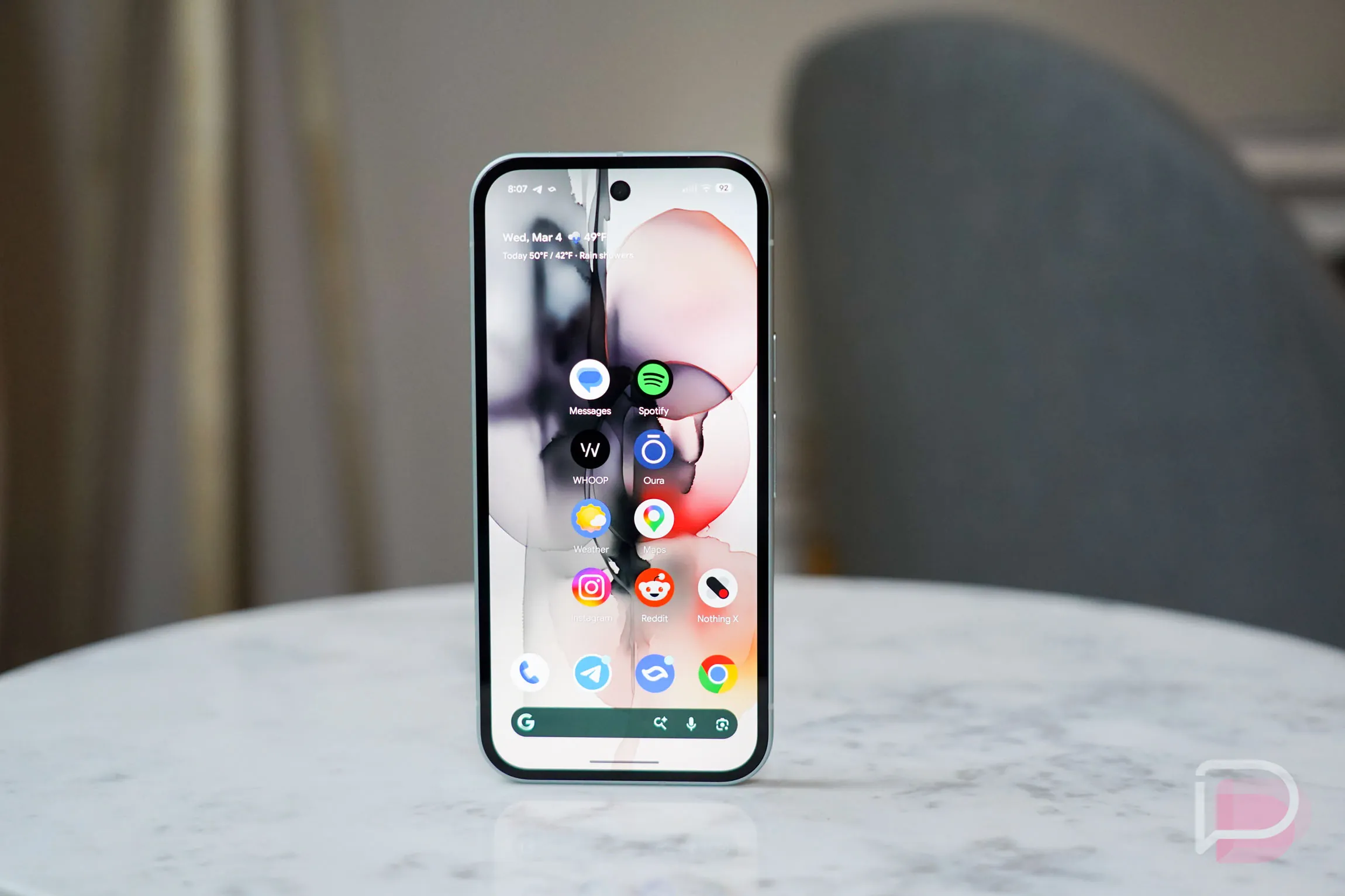
Google just handed Android users one of their most requested customization features. If your device is running Android 17, you can now natively hide app text labels directly from the Pixel Launcher home screen. The resulting aesthetic strips away the visual clutter of text. It leaves only the raw application icons hovering over your background.
Tech enthusiasts and minimalists have chased this clean look for years. Until now, pulling off a text-free home screen on a Pixel required downloading a third-party launcher. That workaround is officially obsolete.
How to Hide App Names in Android 17
The process takes about five seconds. Long-press an empty space on your home screen to pull up the customization menu. Navigate to “Wallpaper & style,” select “Icons,” and toggle off the “Show app names” switch sitting under the “Names” tab. Tap “Apply” and you are done.
The feature originally surfaced during testing phases, bringing these no-name app icon mechanics directly to early adopters. You can read the exact implementation details logged in the official Android developer release notes. But the real magic happens when you change your background.
Hiding the text does more than just clean up the grid. It fundamentally changes how you can use background images. Stripping away the text drastically improves your device’s aesthetic compatibility with complex and AI-generated wallpapers. You can finally apply highly detailed backgrounds without the visual clash of unreadable white text sitting underneath every single app.
And no, you won’t lose your apps. The toggle only removes text from the active home screen. Swipe up to access your main app drawer, and you will see every application remains alphabetically sorted. All text labels stay fully intact there. You won’t lose track of your banking app or calendar just because you cleaned up your main display.
Users currently on Android 16 or lower are out of luck until they upgrade. You need to navigate to Settings > System > Software Updates and tap “Check for update” to pull the required OS upgrade.
Why Native Customization Threatens Third-Party Launchers
Historically, Android customization enthusiasts relied heavily on third-party tools to achieve a minimalist look. By baking this specific feature directly into the first-party Pixel Launcher, Google is absorbing the most popular aftermarket features into its native ecosystem. This is the first time Google has offered the ability to hide app labels natively within its own launcher. Users no longer have to sacrifice the smooth, optimized performance of the default software just to hide a few lines of text.
The Verdict
If your Pixel is running Android 17, you should absolutely toggle this setting off and try it for a day. Stripping away the text labels instantly modernizes the interface. Because the app drawer keeps all the text intact for easy searching, there is zero functional downside to cleaning up your home screen.