
Unlike traditional hard disk drives that click and grind before they die, modern solid-state drives fail in total silence. You will not hear a physical warning. Instead, the drive starts exhibiting bizarre software bugs. You might experience random three-second system freezes, corrupted files reading as zero bytes, or the drive vanishing entirely from the BIOS menu.
The problem is that Windows acts like everything is fine. Recent benchmark testing on an XPG Adata Gammix S70 Blade 2TB SSD using CrystalDiskMark revealed that the operating system actively masks the physical degradation of solid-state memory. Instead of surfacing critical warning metrics, Windows slaps a superficial “Healthy” label on the drive right up until the moment it dies.
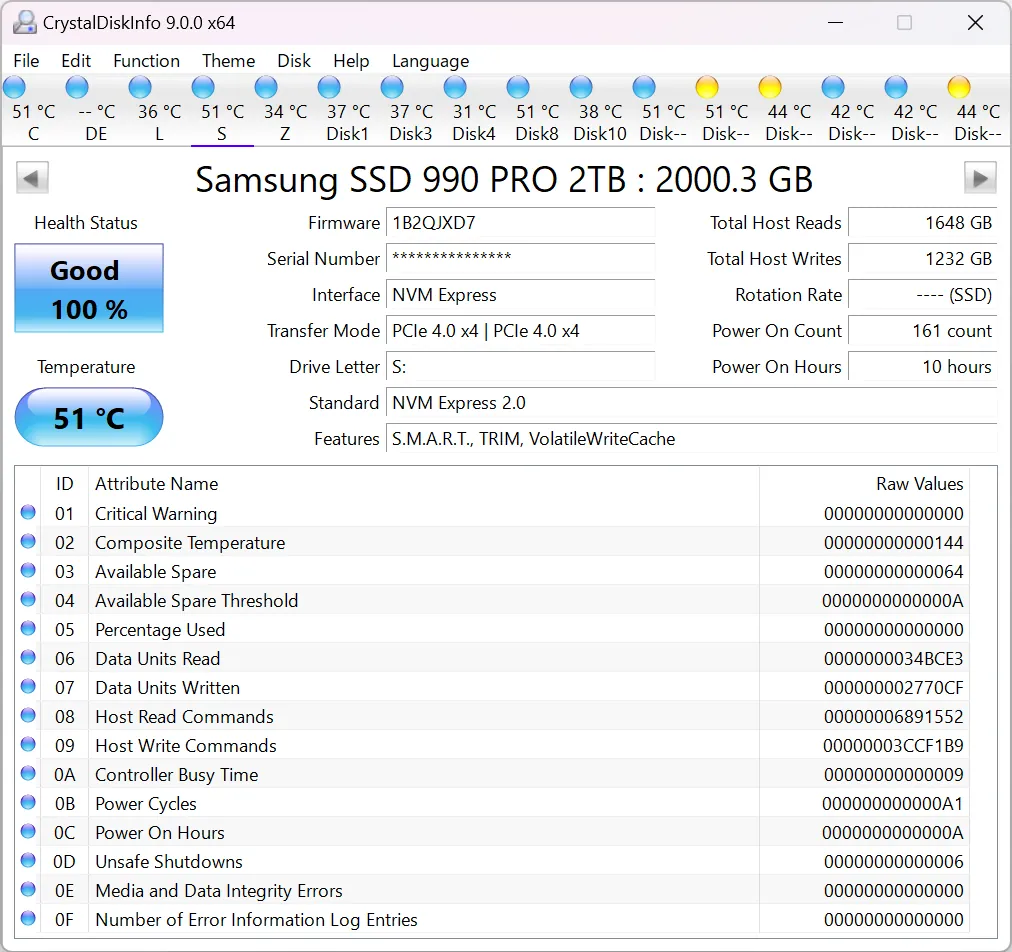
Solid-state drives continuously log their own wear through SMART (Self-Monitoring, Analysis, and Reporting Technology). The drive knows exactly how much damage it has sustained. But Windows buries that raw data. When memory cells begin to die, software-level bugs multiply. You will notice random file corruption and sudden BIOS disappearances rather than mechanical noises.
Relying on the overarching “Good” health status in your system settings is dangerous. You have to actively track specific data points. The most important metric is Total Bytes Written (TBW). Every SSD has a manufacturer endurance limit for TBW. You also need to monitor reallocated sector counts and media integrity errors. If you know where to look, you can spot bad block reports and file system repair errors caused by failing memory cells inside the Windows Event Viewer.
To keep a drive healthy, you must maintain 10 to 15 percent of its total capacity as free space. The SSD uses this empty room for wear-leveling and background housekeeping. If you fill the drive completely, the remaining active cells degrade much faster.
Microsoft actually made tracking this data harder in recent updates. Starting with Windows 11 version 25H2, the company removed the legacy WMIC tool. This forces users to manually track TBW and available spare blocks through alternative methods.
Microsoft’s Diagnostics Shift Forces Reliance on Third-Party Software
The removal of the legacy diskdrive command line tool in Windows 11 25H2 pushes standard users away from native diagnostic checks. Unless you are comfortable using the Get-PhysicalDisk cmdlet in PowerShell, you have to download third-party software like CrystalDiskInfo to read raw SMART data.
This creates a massive visibility gap. Average users rely entirely on the native Windows Settings menu for hardware information. By hiding detailed metrics like available spare blocks behind a basic “Healthy” status, Microsoft leaves everyday users completely vulnerable to sudden data loss when their drive finally hits its physical endurance limit.