
Everyone loves trying new tech, especially when it lets us create something cool. Right now, a fun trend is using artificial intelligence to turn regular pictures into amazing 3D figures. It feels like magic, and best of all, it’s completely free to try. I’ve put together a simple guide so you can jump into this trend too. You just need to copy a special command and paste it into Gemini AI.
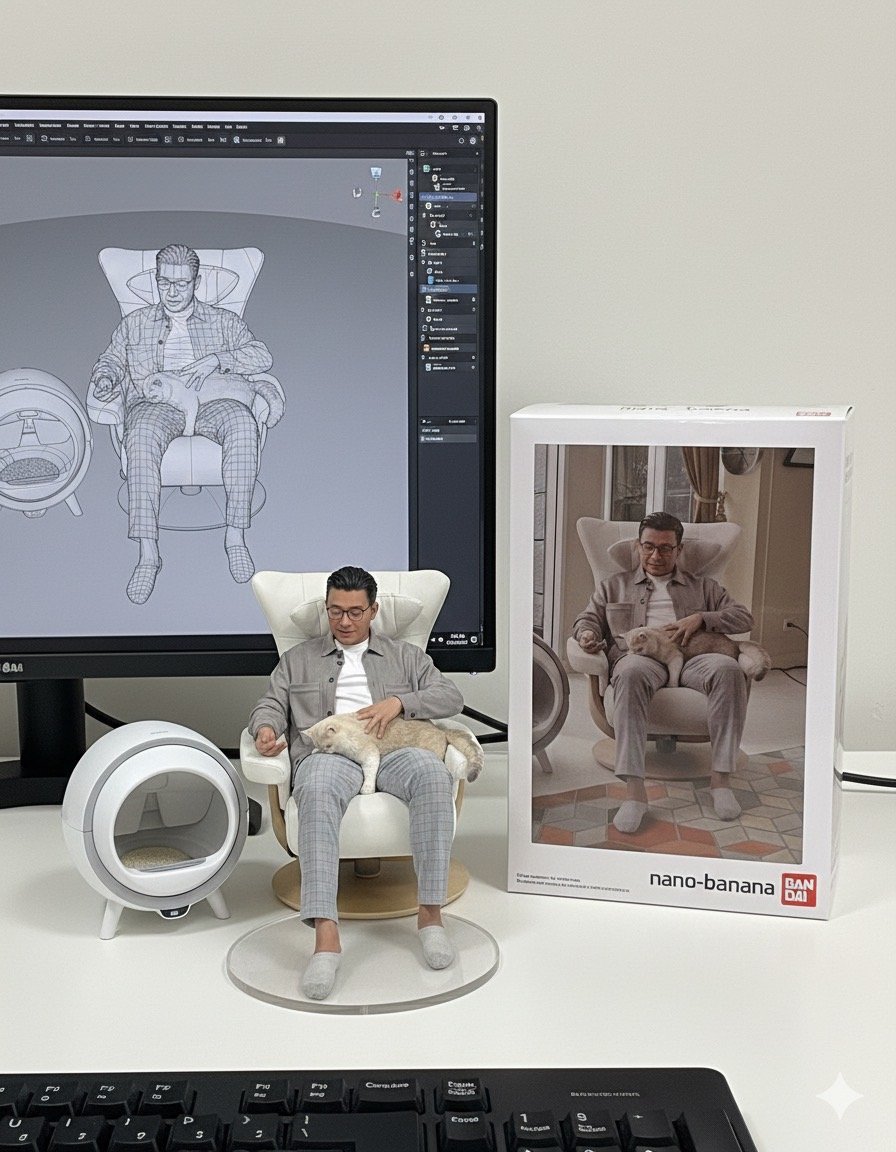
Making Your Own AI-Generated 3D Figures
Getting started with this fun project is straightforward. Here’s a quick walkthrough:
- First, open the Gemini app on your phone or visit the Gemini website.
- Next, upload the picture you want the AI to transform.
- Then, copy and paste this exact prompt into the chat box: “Use the nano-banana model to create a 1/7 scale commercialized figure of the character in the illustration, in a realistic style and environment. Place the figure on a computer desk, using a circular transparent acrylic base without any text. On the computer screen, display the ZBrush modeling process of the figure. Next to the computer screen, place a BANDAI-style toy packaging box printed with the original artwork.”
- Finally, hit Enter and simply wait for Gemini AI to work its magic.
We recently tried this with a photo of P’Nui. The AI did a pretty good job, creating a figure that was quite charming. While the face details weren’t perfect, it truly captured the unique feel of the original image. This tool lets you create unique digital art from your own pictures. It’s a great way to explore AI’s creative side and share something fun online.