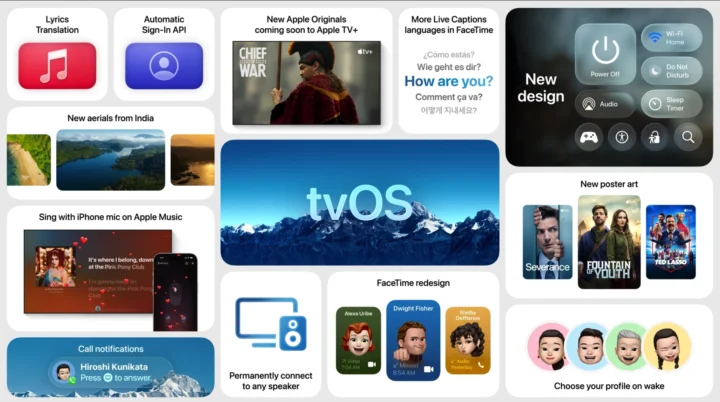
Apple just dropped tvOS 26, and it’s a quiet game-changer for anyone with an Apple TV 4K or Apple TV HD. While there are some visual tweaks and new features, the biggest win is how it handles audio. Now, you can finally set up your AirPlay speakers to stay connected, making your home sound system much easier to use.
Before this update, hooking up an AirPlay speaker to your Apple TV was a bit of a dance. Unless you owned an Apple HomePod or HomePod mini, your other AirPlay speakers would often disconnect. This meant you had to manually link them back up every single time you wanted to watch something. It was a small but annoying step that broke the smooth flow of home entertainment.
With tvOS 26, that headache disappears. Now, you can tell your Apple TV to remember your AirPlay speakers. Simply head into the Settings app, and you can pick any AirPlay-enabled speaker to be your default audio output. It stays connected, even if you restart your Apple TV or turn it off and on again. This means your home theater sound is always ready when you are.
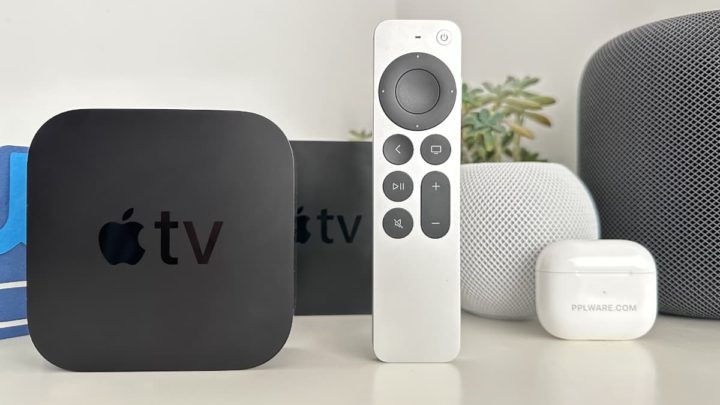
Besides this big audio improvement, tvOS 26 also brings some other neat additions. You’ll notice a new “Liquid Glass” design that makes the interface look fresh. There are also new screen savers to enjoy. Plus, FaceTime gets some improvements, making video calls on your big screen even better.
This update pushes Apple further into the wireless home audio space. By taking away the hassle of reconnecting speakers, Apple makes the idea of a fully wireless sound system much more appealing. If you’ve been thinking about getting new speakers for your home this year, this new feature makes AirPlay models a much stronger contender. It’s all about making your tech just work, without extra fuss.