
Heads up, PC builders and gamers! A surprising detail recently surfaced on Reddit, pointing to a potential headache for owners of some older NVIDIA GeForce graphics cards. Starting in June 2026, these cards might cause your computer screen to go black if you’re using a common security feature called Secure Boot.
The core of the problem lies with something called UEFI GOP, or Graphics Output Protocol. This is a crucial piece of software that helps your computer display images during the very first steps of booting up, even before your operating system loads. When you turn on Secure Boot, a standard security feature, it relies on valid security certificates. The certificates tied to UEFI GOP are set to expire around June 2026. There are two main versions of these certificates, from 2011 and 2023.

When Things Go Dark
If these certificates expire, the GOP software won’t load properly. This means your monitor could stay black right when you power on your PC, before you even see the initial BIOS or UEFI setup screen. You won’t be able to get into your system settings, run an operating system installer, or use recovery tools.
If your operating system is already installed and boots up normally, you might still be able to use your computer. You might just experience a blank screen for a moment before your OS appears. If you need to install a new operating system, you could access UEFI options from within your currently working Windows setup to boot from a USB drive or reset your PC. However, if your operating system ever runs into serious trouble, you’d be stuck. Without a display, you couldn’t access recovery options or reinstall the system.
Users with a CPU that includes built-in graphics, often called an iGPU, might have a way around this. They could remove their discrete NVIDIA card, install the operating system using the CPU’s graphics, and then put the NVIDIA card back in. Laptops typically start with the CPU’s graphics anyway, so they might not hit this wall.

The real problem hits owners of desktop PCs with a CPU that doesn’t have an iGPU. If their operating system ever gets corrupted, they will face a totally black screen with no way to fix it. Their only options would be to find a temporary graphics card with non-expired certificates or install an operating system onto their SSD using another computer, then transfer the SSD back.
Finding a Solution
There are a few ways to tackle this issue:
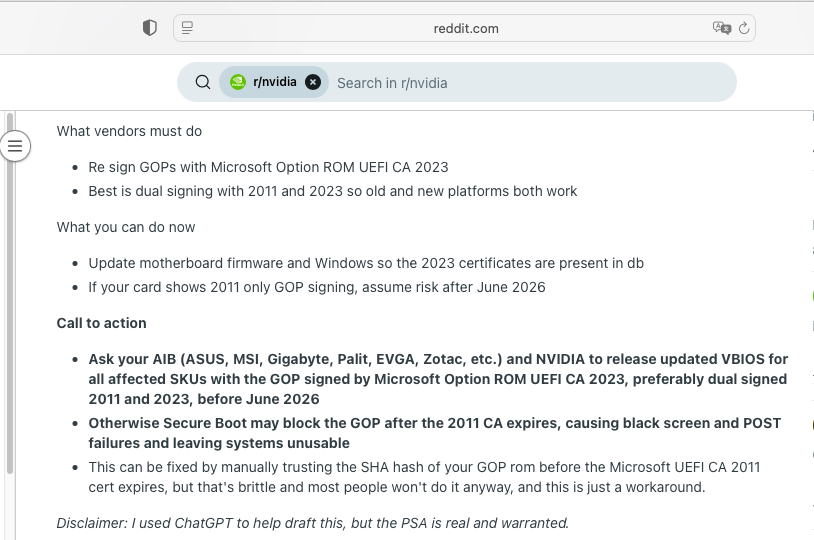
- **Firmware Update:** NVIDIA could release new firmware for the affected graphics card models. This is different from a regular driver update. Users would need to install this update before June 2026.
- **Disable Secure Boot:** You could simply turn off Secure Boot in your system settings before the certificates expire. However, some games require Secure Boot to be active, so this isn’t ideal for everyone.
- **Manual Certificate Addition:** Advanced users could try manually adding the security signature (SHA hash) of their GOP ROM to the trusted list. This is a complex process and not suitable for most people.
It’s worth noting that if you don’t use Secure Boot at all, you won’t encounter this problem.
The Clock is Ticking
Tech companies like NVIDIA, ASUS, MSI, Gigabyte, Palit, EVGA, and Zotac need to address this soon. They will likely need to release updated graphics card firmware that includes the newer Microsoft add-in card option ROM UEFI CA 2023 certificate. This new firmware should support both the 2011 and 2023 certificates to ensure wide compatibility.
For very old graphics cards released before 2023, which might only work with the 2011 certificate, users may need to update their computer’s main BIOS/UEFI and ensure Windows is updated to include both certificate versions. All these steps must happen before June 2026.
As of now, NVIDIA has not made an official statement about this issue. They have not yet provided a list of specific graphics cards that might be affected. Keep an eye on official announcements from NVIDIA and your graphics card manufacturer for updates.