
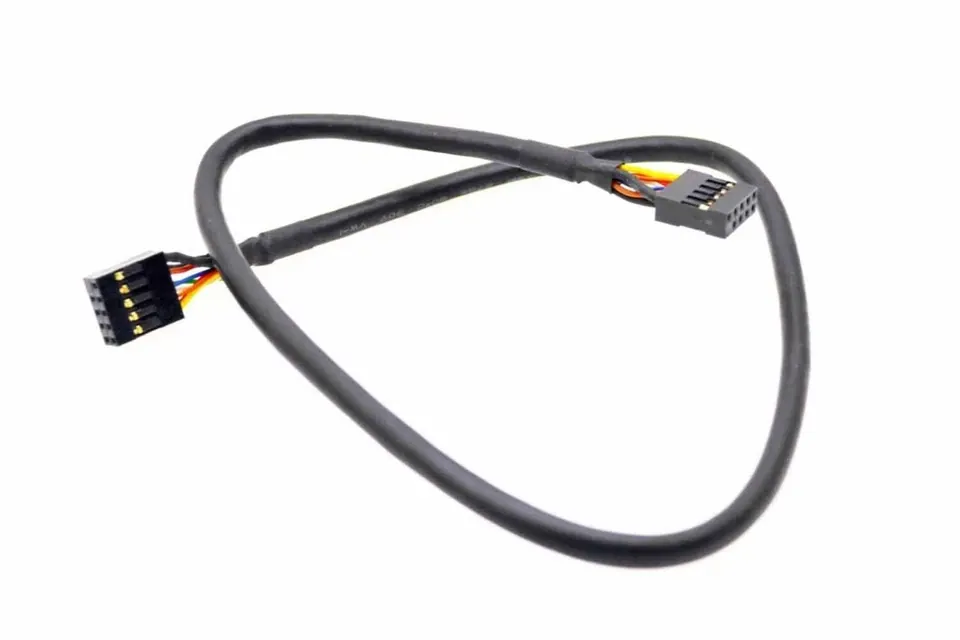
Most PC builders look at the internal USB headers on their motherboard and assume they exist solely to connect the front-panel ports on their case. This legacy assumption leaves incredible functionality untapped. Those small pin clusters are actually the central nervous system for an expansive ecosystem of modern chassis hardware.
Beyond just providing a place to plug in a thumb drive, these headers actively control the most critical cooling and aesthetic components inside a custom rig. They act as vital data links for all-in-one liquid cooler pumps, RGB lighting hubs, fan controllers, and internal status screens. Without them, the modern PC modding ecosystem would fundamentally stop working.
Hardware experts are pushing builders to rethink how they route their internal cables. According to a Tuesday hardware breakdown from XDA Developers hardware lead Rich Edmonds, these headers handle far more than cooling and lights. Builders successfully use them to integrate dedicated Wi-Fi and Bluetooth modules or power internal capture cards directly from the board.
The hardware industry has maintained these older connections for a very specific reason. The original 9-pin USB 2.0 standard debuted in the early 2000s to handle 480 Mbps data transfers. While modern boards have adopted newer standards, the historical evolution of motherboard design kept the 9-pin layout alive specifically because it transitioned perfectly to device management.
Managing Internal PC Bandwidth
Because lighting controllers and fan hubs transmit very small amounts of signal data, they do not require high-speed lanes. The older, slower USB 2.0 headers are perfectly suited to tell a water pump how fast to spin. This preserves your high-speed headers exclusively for external data drives.
Premium component manufacturers rely heavily on this bandwidth division. Brands like ASUS and NZXT design their entire cooling ecosystems around the expandability of these legacy internal headers.
To maximize a single header, builders utilize a very specific hardware sequence:
- The builder attaches an internal USB hub or expansion adapter directly to a single 9-pin header on the motherboard.
- The adapter splits the dual-channel signal into multiple viable physical connection points.
- The operating system software detects all attached cooling pumps, fan controllers, and lighting nodes routed through that single origin point.
How Legacy 9-Pin Headers Prevent Modern Storage Bottlenecks
The physical separation of duties between internal headers directly impacts how fast your computer transfers files. Modern motherboards utilize 19-pin USB 3.0 and 20-pin Type-E connectors specifically to handle front-panel storage speeds ranging from 5 Gbps to 20 Gbps.
If builders attempt to use older hardware formats, they run into severe limitations. Enthusiasts carrying over an older PC chassis often find their physical front ports are wired for outdated standards. These older cases bottleneck fast storage drives, forcing users to rely entirely on rear I/O ports or PCIe expansion cards to achieve modern transfer rates.
By dedicating the legacy 9-pin connections entirely to internal hardware management, PC builders isolate their low-bandwidth devices. This ensures the newer, high-speed headers remain uncompromised and fully available for storage.