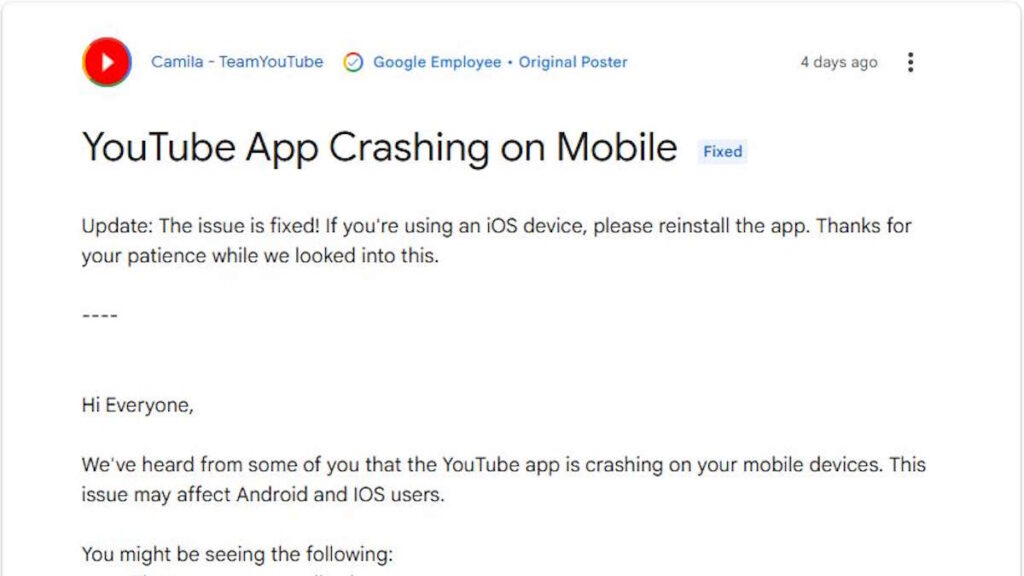
iPhone users are dealing with a bunch of issues on the YouTube app. Problems like slow loading times, features not working, and unexpected closures are happening. The good news is that YouTube has found a simple solution.
The company confirmed that it’s working on fixing these sudden problems. Although it didn’t say what caused them, it did say that the latest app version should fix the issues on both iPhone and Android devices. What’s weird is that YouTube didn’t ask users to just update the app like they usually do. Instead, it told iPhone users to delete and reinstall the app.
How to fix the YouTube app on your iPhone
To fix the problem, iPhone users should go to the App Store, find the YouTube app, and delete it. After a few minutes, they can go back to the App Store and click the cloud icon with an arrow pointing down to reinstall the app. This might seem strange, but YouTube says it’s the best way to make sure the new version is installed correctly.
Users don’t need to worry about losing their history or settings. Once they log back in after reinstalling the app, everything will go back to normal. The algorithm won’t change, and no data will be lost.
It’s worth noting that YouTube has been dealing with another issue related to ad blockers. If users are seeing a message about ad blockers, reinstalling the app won’t fix the problem. In that case, they need to remove the ad blockers.
What’s going on with YouTube?
YouTube has been experiencing a lot of errors and glitches lately. The company is working to fix these problems, but in the meantime, users can try deleting and reinstalling the app to see if that solves the issue. It’s not a typical solution, but it might just do the trick.