
According to data from Internet World Stats, approximately 743.6 million Europeans used the Internet in 2021. This represents 88.4 percent of the population, a very high figure compared to the rest of the world, which only reaches 66.2 percent of the population.
Most people surf the Internet using their own home Wi-Fi, but what is the quality of the home network like under these conditions? Not always ideal: for streaming video without pauses, downloading massive updates to the latest games, or simply reading the news on the Internet. This requires stable and fast Wi-Fi.
So, in the context of World Wi-Fi Day on June 20, we share how to improve Wi-Fi with five easy tips.
1. Wi-Fi quick check
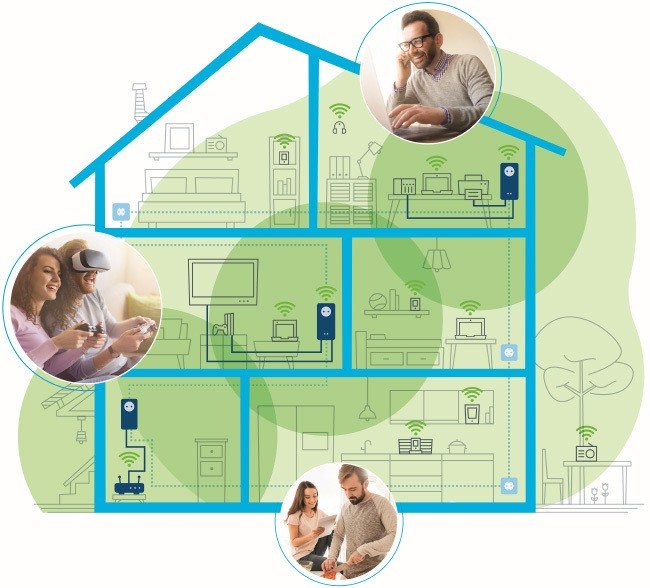
Internet users immediately notice if Wi-Fi coverage is good or not. Still, quickly analyzing the situation is an important first step. There are useful analytics tools that help you do this.
Experts often recommend Ookla speed test. So with the help of this app, it’s easy to check the Wi-Fi speed with a smartphone or tablet in each room of the house to find Wi-Fi “black holes”.
2. Correct placement of the router
Is the Wi-Fi too slow or the connection fails too often? This is usually due to a range issue, as in many homes the router is located in a corner, behind furniture, or worse, in the basement.
A central and slightly raised position is ideal for a router, for example, on a sideboard or cabinet in the middle of the apartment. The Wi-Fi router must not be blocked by other objects placed near it.
In case the router is equipped with external antennas, they can be placed at different angles. Finally, they can simply try different positions until coverage improves.
3. Is the router too old?
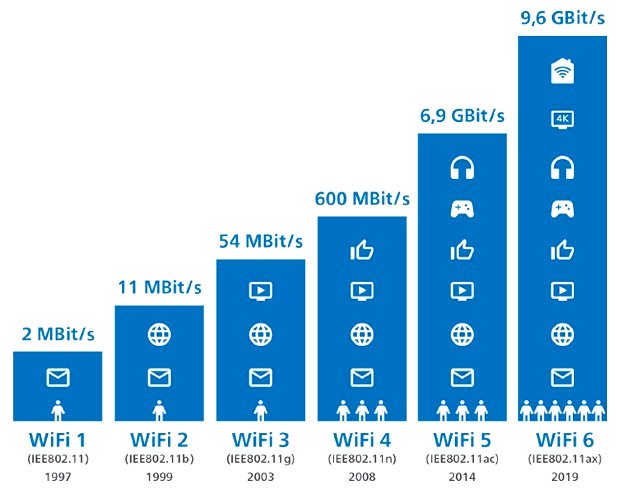
Third, if you have to change routers, the new model should support Wi-Fi 5 (Wi-Fi ac) or even Wi-Fi 6. Both standards are significantly faster than Wi-Fi 4 (Wi-Fi n). .
Also, one of the factors inherent in Wi-Fi 4, the 2.4 GHz band, is extremely congested in many urban areas. In short, Wi-Fi can pick up speed by switching to the 5 GHz band of the Wi-Fi 5 or Wi-Fi 6 standard.
4. Wi-Fi repeaters for short distances
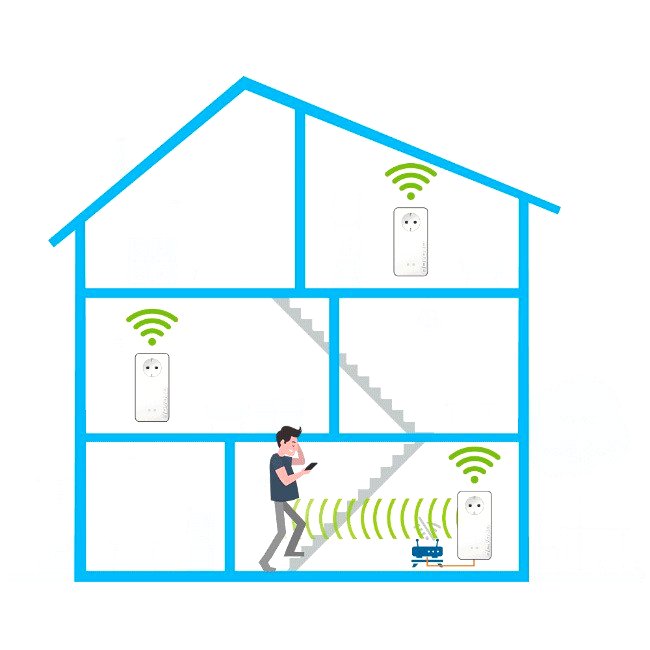
In large apartments or houses, long distances, thick walls or even reinforced ceilings are present between the router and the Wi-Fi receivers. In practice, these obstacles act as a brake on the Wi-Fi signal, which becomes slower and slower and, in the worst case, stops altogether.
This is why a Wi-Fi repeater is useful for shorter distances, for example from one room to another. However, for large spaces, repeaters don’t work as well. This is because they also use the Wi-Fi network to transmit data to each other.
5. For long distances – Internet from power outlet
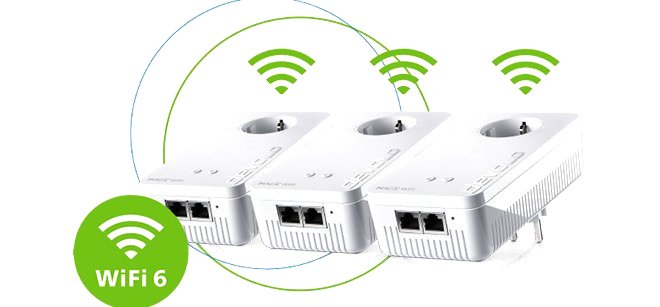
Devolo Powerline adapters are the all-in-one solution for a seamless Wi-Fi connection. The trick: they use the electrical network of the house as if it were a long network cable. The advantage: thick walls, reinforced ceilings and even heating systems are no longer an obstacle because they are avoided or avoided.
Powerline Wi-Fi adapters create a hotspot with the best possible internet speed from any power outlet. Installation is extremely easy: turn them on, wait a moment and start browsing.
Today’s models combine the best Wi-Fi technology with the fastest Powerline technology. For example, the award-winning devolo Magic 2 WiFi 6 adapters provide a maximum Powerline speed of up to 2400 Mbps with mesh WiFi for fast WiFi throughout the home.